Installation
Currently, only the development package is available. It's updated with each commit to the master branch.
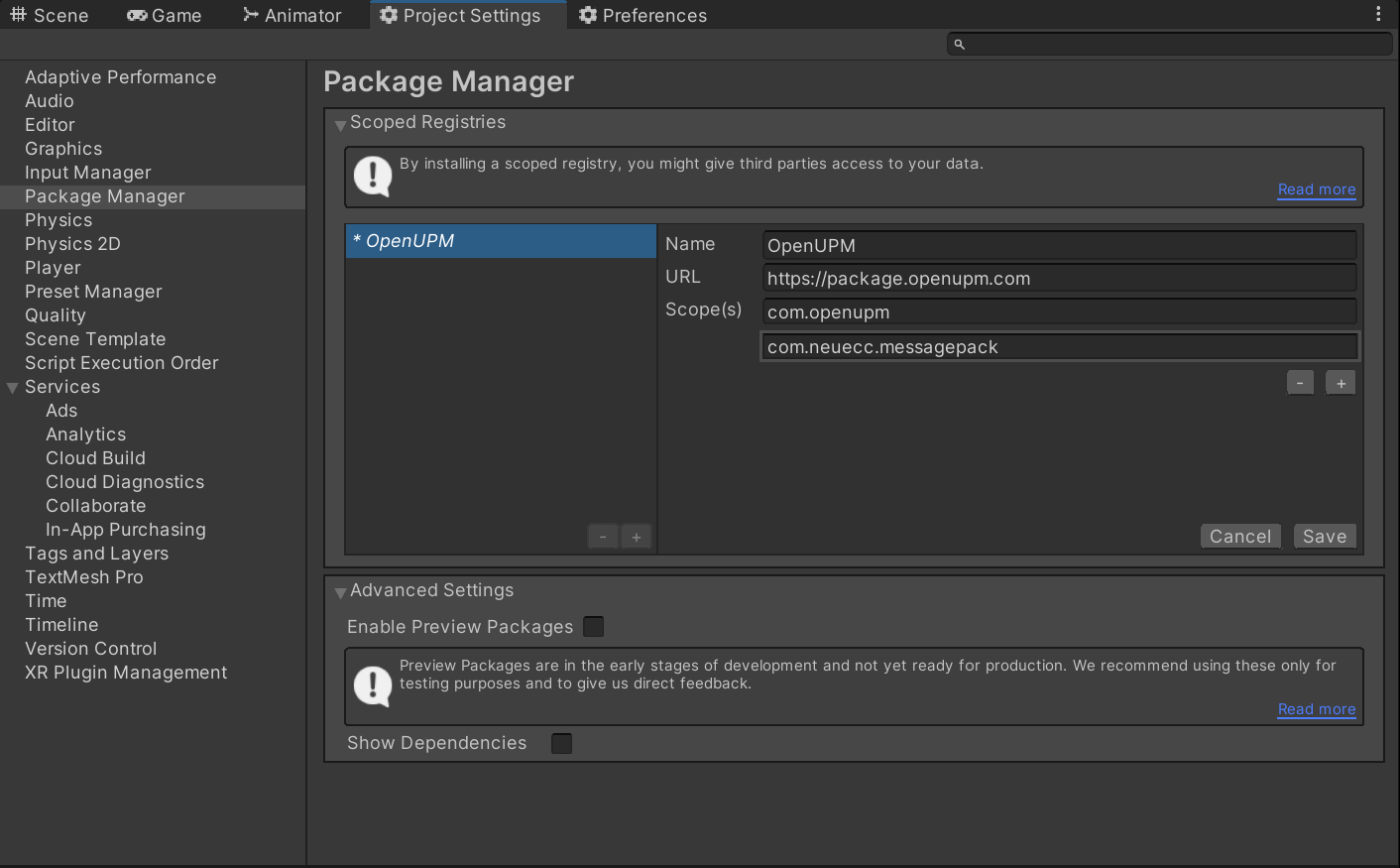
- Add the OpenUPM registry.
Click in the menu bar Edit → Project Settings... → Package Manager
Add a new scoped registry with the following parameters:
Name:OpenUPM
URL:https://package.openupm.com
Scopes:com.openupmcom.neuecc.messagepack
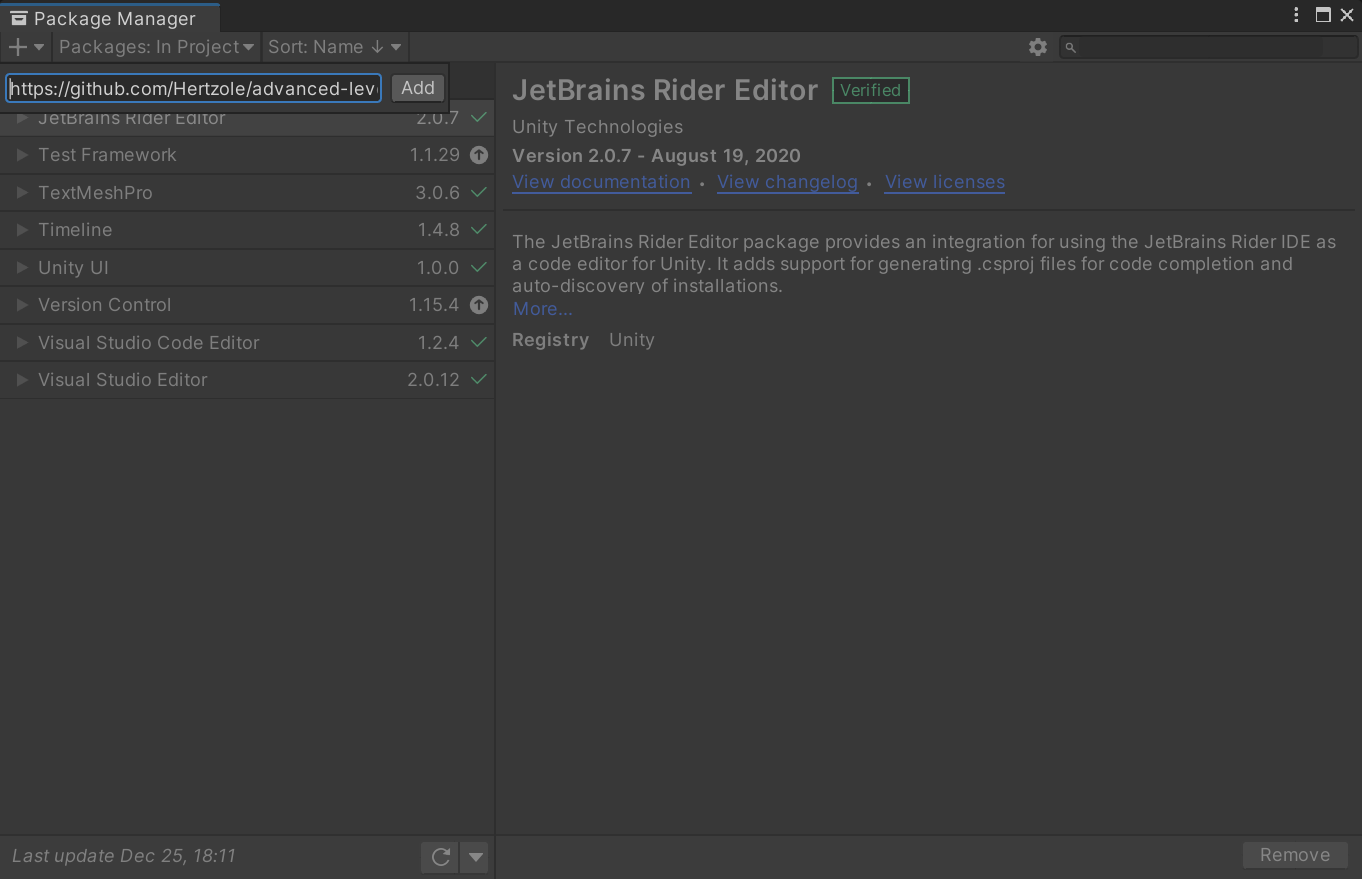
- Open the package manager and click 'Add from Git url' in the top right corner.
- Paste in
https://github.com/Hertzole/advanced-level-editor.git#dev-packageand click enter.
- Wait for the installation to complete.
The package should now be installed! Check out the Quick Start to get up and running with ALE.